RV Ivan GubkinREAL DATA

RV Ivan Gubkin
Hardware structure map — configuration 2018
Real-time QC is onboard seismic source and data quality control performed as soon as the data is received during 3D or 2D marine seismic acquisition — providing instant confirmation of data quality without slowing down seismic crew operations.
Purpose
It is aimed at identifying any problems with seismic acquisition at the very moment they happen. This allows the seismic crew to fix problems immediately, minimising related loss of operational time and money.
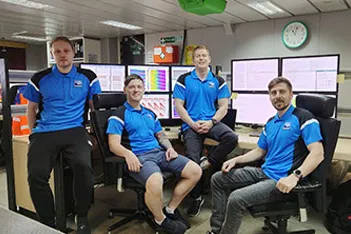 REAL PHOTO
01Deliverables
This set of products helps control what is happening on board related to seismic acquisition. By monitoring them, QC personnel and observers can easily identify out-of-spec issues — many of which require immediate action and reporting.
01
02
Detects in real time
02Performance
The software runs locally on a PC, saving processing time on your cluster nodes. It connects to the data storage and inputs a shot record as soon as it is written. Each shot is read only once, to avoid network overload. After a shot is loaded into the local RAM of the PC, it is input to pre-defined QC flows that all run in parallel locally. All real-time displays run and update locally as well, without slowing down the network.
This, along with optimised processing algorithms, allows QC of data from thousands of channels in true real time — typical delays are less than half a minute — using just a good modern PC with a multi-core CPU, 64-bit Windows OS and several monitors. Compare this to some conventional QC packages which claim to be real-time, while in practice have dozens of shots delayed even when working on a powerful Linux cluster.
03How it looks
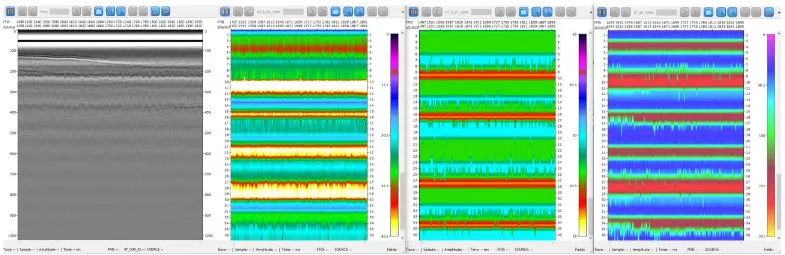
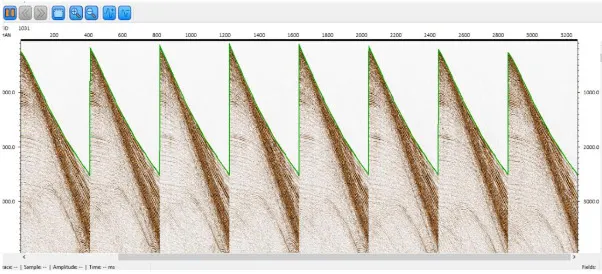
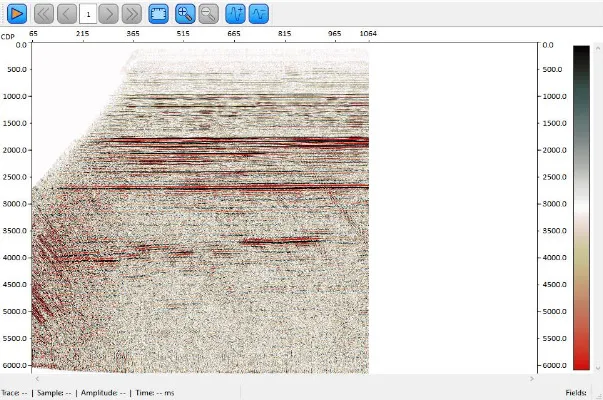
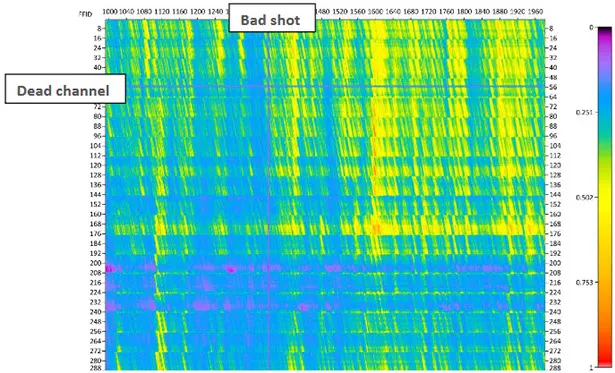
Screenshots taken from live operations — not mock-ups.
04
The flows that every shot record passes through in real time are fully customisable and completely defined by the operator. Nearly any processing and analysis available in RadExPro can be performed in real time. This includes AGC and other amplitude corrections, frequency and FK filtering, predictive and spiking deconvolutions, statics, auto-correlation and cross-correlation functions, automatic first-break picking, and calculation of amplitude and frequency attributes for different time windows and their derivatives. You can select data from particular channels or from one particular airgun group and process them separately, select only traces that exceed a given energy level, and more.
05
The operator can set up real-time flows to save raw records, processed and edited traces, maps, picks, calculated attribute values and any other QC results to the processing project database. Then, in playback mode, the data can be exported to SEG-Y files and calculated attributes exported to ASCII.
06Deployments
Hardware structure is adapted to the specifics of each individual vessel.
Hardware structure map — configuration 2018
Hardware structure map — configuration 2014
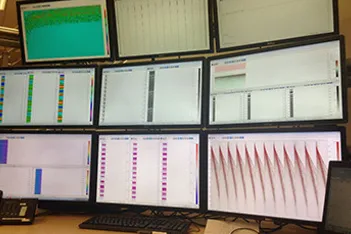
REAL PHOTOConfiguration 2021, adapted to the specifics of the individual vessel
Start a project
Acquisition parameters, data volume, objectives, timeline. Our geophysicists come back with a processing sequence and a realistic view of the result — not a brochure.